Setting up a care plan template with parameters
For this use case, we would like to check in during and after a pregnancy. Here is a breakdown of how we will approach this:
- Configure which reference dates the care plan template will use
- Build a care plan template using those dates
- Enroll a member
- Enroll a member using the API
- Register a webhook that lets us know when a date parameter is needed
- Update the parameter when the date is known
- Review the careplan parameters
Prerequisites
- Create a project and activate observation codes and care plan templates in the Extensions tab.
Configure which reference dates the care plan template will use
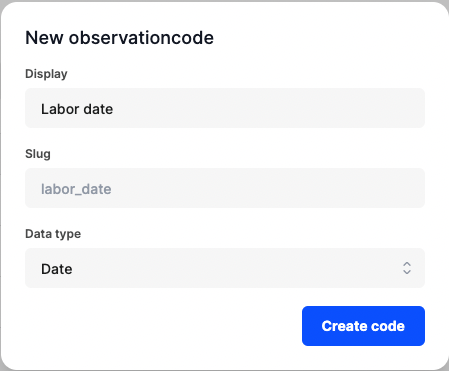
- Visit the observation codes page and press "Add observation code"
- Fill in "Labor date" as display name
- Press "Create code" to confirm
- Do the same for "Expected labor date". Aren't these two dates the same? Well, it depends, in this case we want to wait until the actual labor date before scheduling the followup questions. By splitting this into separate data points, the activities that are based on the actual labor date will only be created when that date is known.
Build a care plan template using those dates
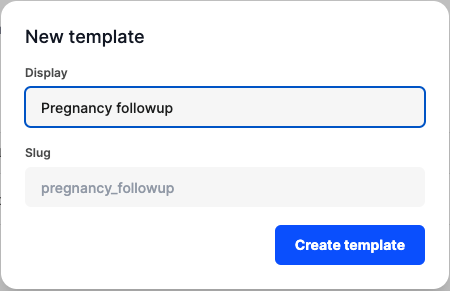
- Visit the care plan templates page and press "Add care plan template"
- Fill in "Pregnancy followup" as display name
- Press "Create template" to confirm
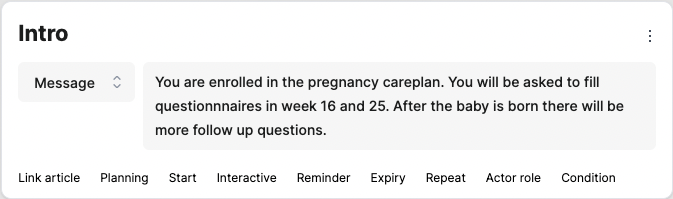
- Press "Add action" and write a message to the patient to inform them what this careplan is about.
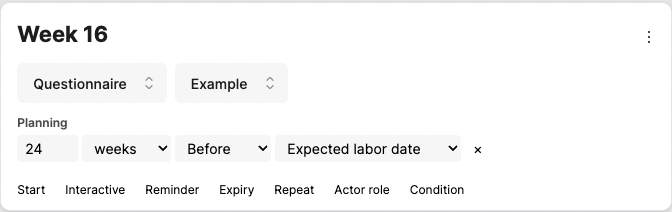
- Press "Add action" again and plan a questionnaire based on the expected labor date. A typical pregnancy takes 40 weeks, let's do the math to plan something in week 16:
40 - 16 = 24weeks before the expected labor date. - The questionnaire in week 25 can be planned similarly: 15 weeks before expected labor date
- Press "Add action" again and plan a questionnaire based on the actual labor date.
- Save the template using the "Save changes" or "New version" button in the top right corner.
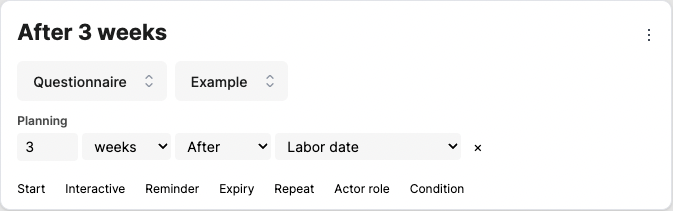
Enroll a member
- Visit your profile by clicking in the bottom left corner
- Switch to the "Care plan" tab and verify that you see your careplan template.
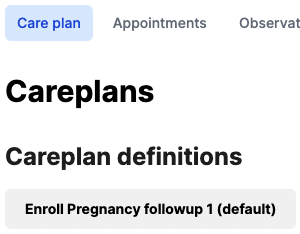
Press the button to enroll in the careplan and notice the following information:
- Title of the careplan: defaults to the name of the template but can be updated.
- Version: the member will stay on this version for this instance of the careplan.
- Slug: this is an identifier of the careplan template that is used to create this careplan.
- Status: indicates wether this careplan is ongoing or cancelled/completed
- Parameters: values that affect this careplan, if a date is empty, activities that depend on it will not be created.
- Activities: an overview of all activities that have been created.
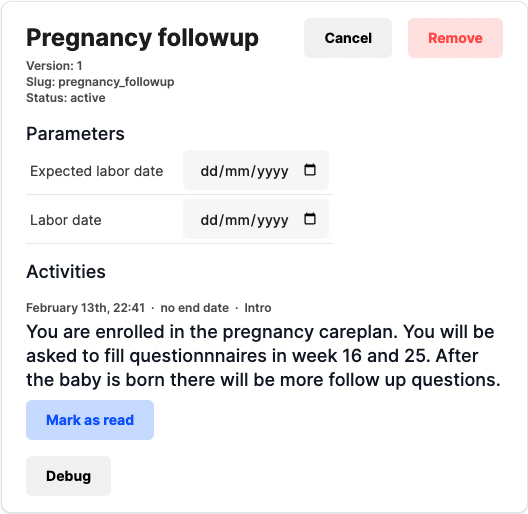
- Filling in a date will trigger more activities.
Enroll a member using the API
First query the available templates (or sync them beforehand):
GET /careplan-definition?include=inputs
Or find a specific template by slug:
GET /careplan-definition/pregnancy_followup?include=inputs
With the id of the template, the member can be enrolled:
POST /careplan

{
  "definitionId": 1,
  "subjectId": 2
}
Register a webhook that lets us know when a date parameter is needed
For some members we may already know their expected labor date, so let's automatically fill that in. We can do this by registering a webhook that listens for new careplans:
{
  "display": "Notify the integration a careplan was created",
  "url": "//endpoint/careplan_create",
  "triggers": [
    {
      "strategy": "after",
      "event": "careplan_create"
    }
  ]
}
The request body of the webhooks contains the following data: (some fields were removed)
{
  "event": "careplan_create",
  "responseData": {
    "id": 3,
    "definitionId": 1
  }
}
Based on this we can query the inputs this careplan requires:
GET /careplan-definition/1?include=inputs.observationCode

Response body:
[{
  "id": 1,
  "slug": "pregnancy_followup",
  "inputs": [{
    "observationCode": {
      "id": 28,
      "slug": "labor_date_actual",
      "display": "Labor date",
      "type": "date"
    }
  }]
}]
Update the parameter when the date is known
With the information above, let's fill in the parameters. An observation will be created and linked to the subject that the careplan belongs to.
POST /careplan-parameter

{
  "careplanId": 3,
  "inputId": 4,
  "observation": {
    "value": "2024-01-01",
    "observedAt": "2020-02-02T02:02:02Z"
  }
}
If there is already an observation, it's possible to link it like this:
POST /careplan-parameter

{
  "careplanId": 3,
  "inputId": 4,
  "observationId": 5
}
It's possible that a parameter is not linked to an observation. That means the parameter is "empty" and does not affect the careplan. Setting a observation value goes like this:
PATCH /careplan-parameter/:id

{
  "observation": {
    "value": "2024-01-01",
    "observedAt": "2020-02-02T02:02:02Z"
  }
  // or
  "observationId": 5
}
Review the careplan parameters
At any time, we can review the linked observations for a careplan:
GET /careplan/3?include=parameters.observation,activities